ASUS XA NB3I-E12 Review: A Massive 8x NVIDIA B300 GPU Server
Credit: Patrick Kennedy - STH, source: www.servethehome.com
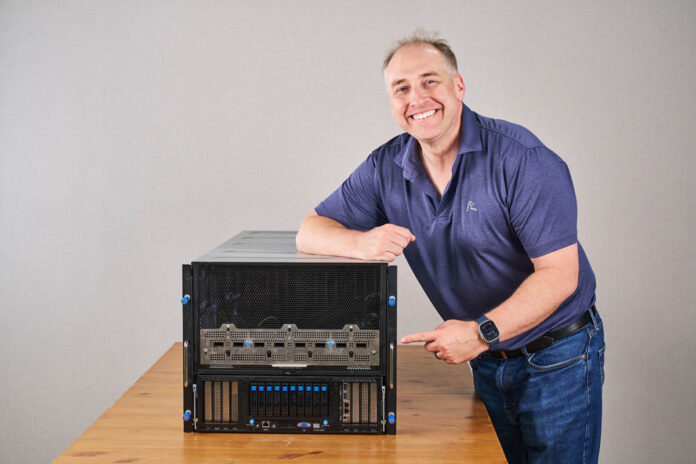
The ASUS XA NB3I-E12 is a huge server. Occupying 9U of rack space, it brings a cutting-edge NVIDIA Blackwell Ultra subsystem along with Intel Xeon processors and over 6.4Tbps of networking in a form factor that is relatively easy to integrate into data center racks. Today, we are taking a look at this NVIDIA HGX B300 8-GPU platform to see just how much it offers in an air-cooled chassis, and what makes it different from previous versions.
Table of contents
If you prefer to listen, we have a quick short above. Note that we got access to this server when in Taiwan a few weeks ago, so we have to say it is sponsored. We had our own conference room to take apart the server before putting it in the racks to test. Let us get to it.
ASUS XA NB3I-E12 Hardware Overview – Front Components
The system itself is giant, at 9U in size. This view shows that more than half of the height is dedicated to the heatsinks on NVIDIA B300 GPUs. Liquid-cooling makes a lot of sense for AI servers, but air-cooled GPUs can mean systems fit into existing racks and data centers. That is what ASUS is after here.
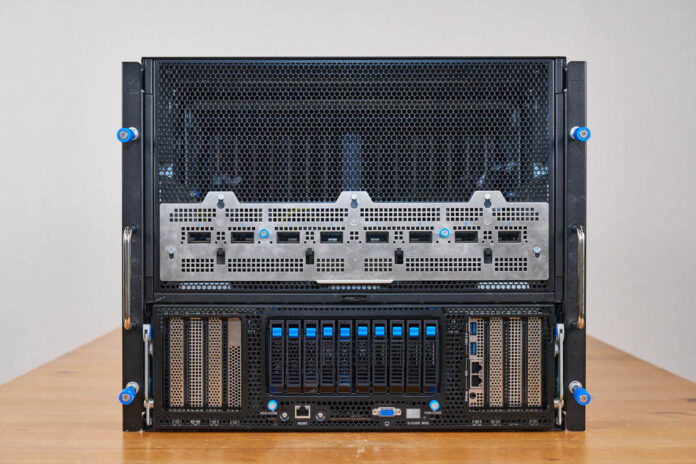
Next up is one of the major changes between the NVIDIA HGX B200 and HGX B300 platforms. Namely, the HGX B300 8 GPU baseboard has eight NVIDIA ConnectX-8 NICs onboard. Each of those provides 800Gbps XDR Infiniband links dedicated to each GPU, and so they need a way to communicate with other GPUs in the cluster. Whereas the NVIDIA HGX B200 and older systems required PCIe GPUs (or customized modules), this is now a base feature in the new systems.
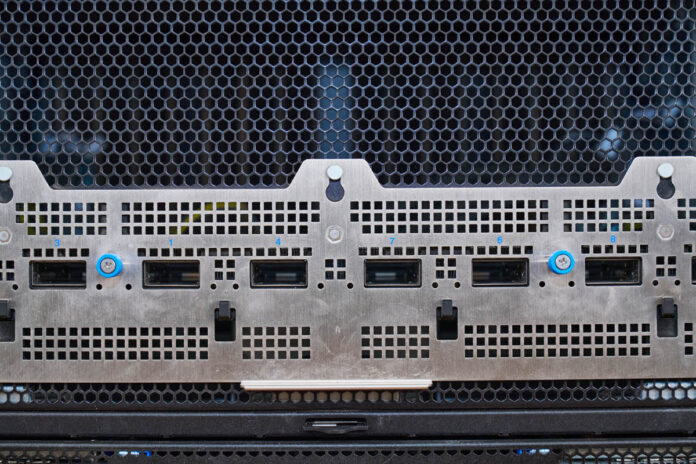
At this point, you may have caught it. If not, here is a closer look. I asked ASUS about this, and apparently, the ports are labeled correctly and are not supposed to be numbered 1, 2, 3, 4, 5, 6, 7, 8. Instead, the official rack wiring is supposed to be 2, 3, 1, 4, 7, 6, 8, 5. That is one we do not hear about a lot in the industry, but it was a neat nugget to learn.
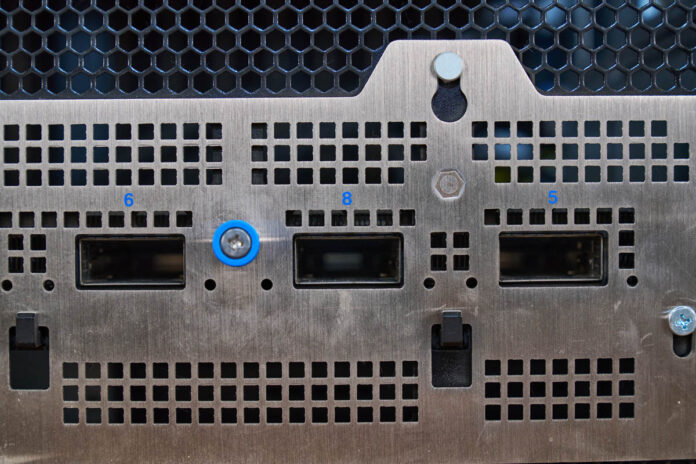
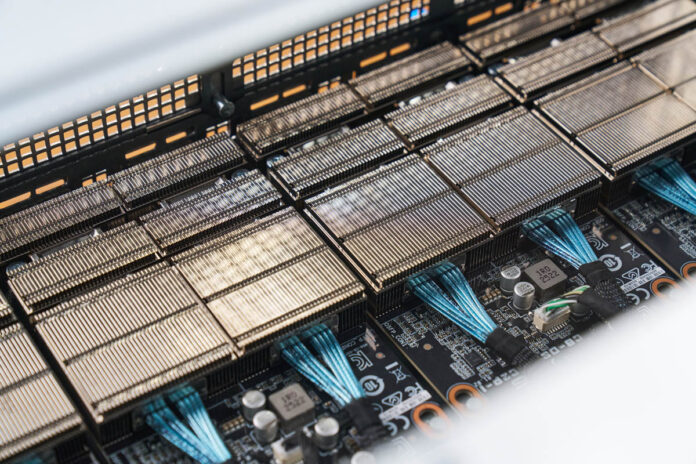
You might be wondering if the other end of the OSFP cages is the NVIDIA HGX B300 baseboard. It is not. Instead, these modules connect to the baseboard via cables.
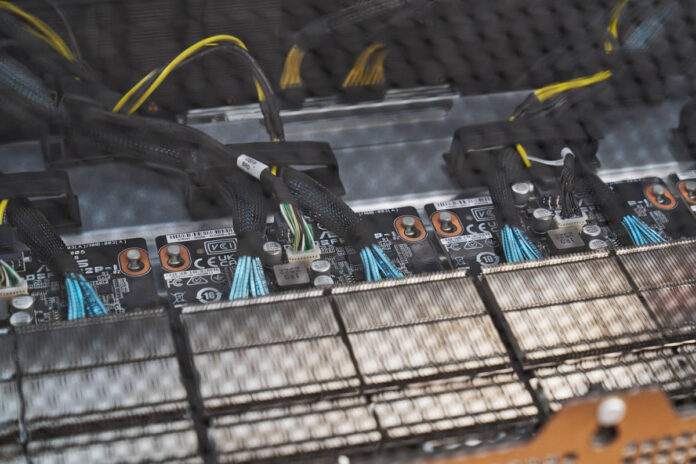
The cages have some significant heatsinks around them, and they are cabled to the NICs.
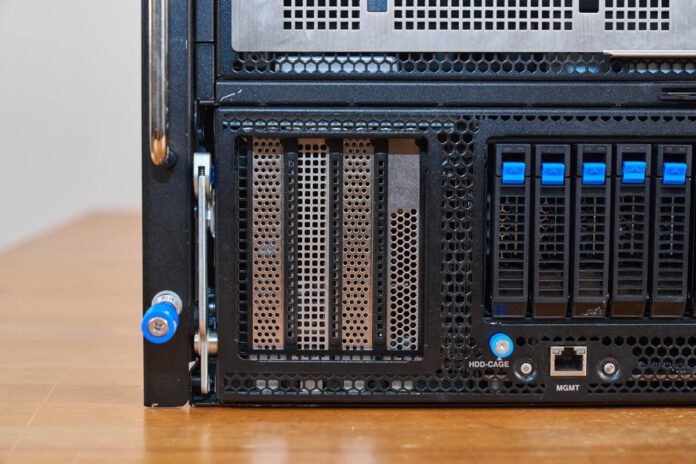
Those NVIDIA ConnectX-8 NICs are really for East-West GPU-to-GPU traffic. Of course, there is an opportunity to add more NICs to the North-South network, which covers connectivity use cases such as going to storage. On the left-hand side, there are PCIe slots for cards like the NVIDIA BlueField-3 SuperNIC (DPU.)
In the center, we get storage and I/O.
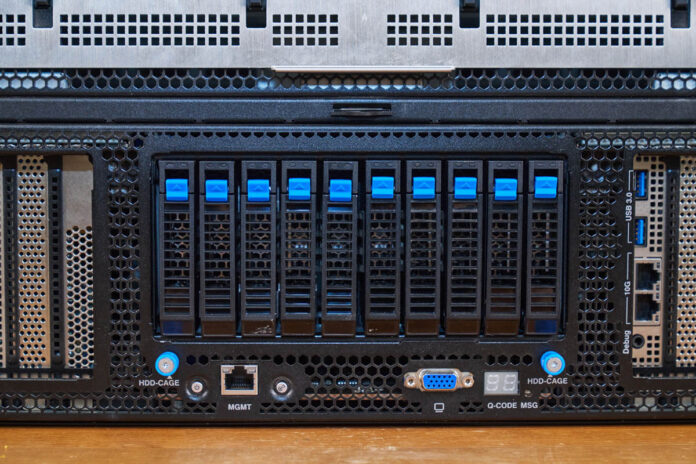
In the center section, we get U.2 NVMe drive bays. Each GPU generally gets its own NVMe SSD in this type of system.
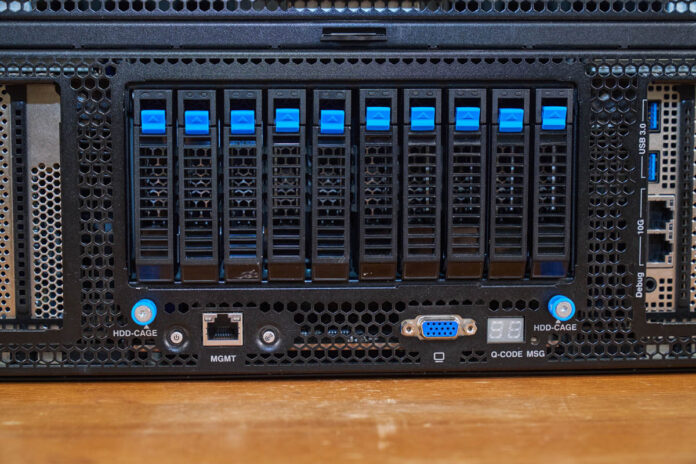
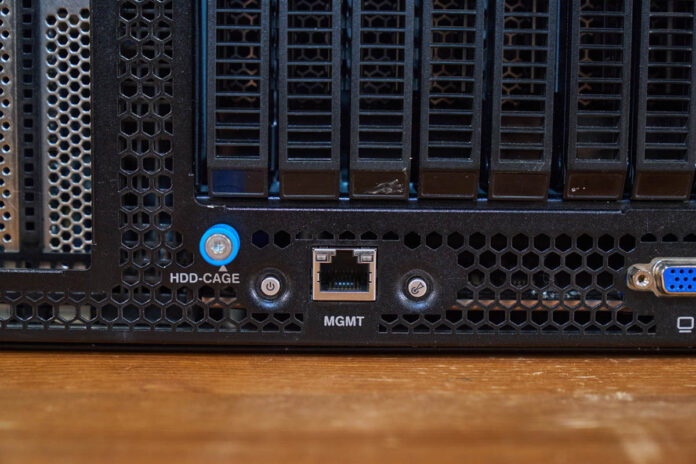
On the bottom, we get the IPMI management port and very tiny buttons. This is a big system, with a small power button.
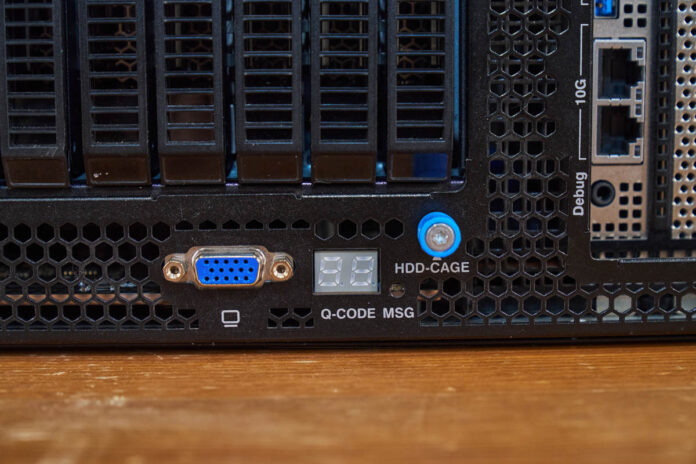
There is also a VGA port from the BMC’s onboard GPU. Then, there is the Q-CODE MSG. This is a neat feature that ASUS has had on its servers for many years. That display shows the POST codes. It may not seem exciting, but we once had a rack of 2U 4-node ASUS servers, and this display helped us quickly see which one had not booted.
On the right side, there are additional PCIe slots, but one of the expansion slots also has USB ports and dual 10GbE NIC ports via an Intel X710-AT2 NIC.
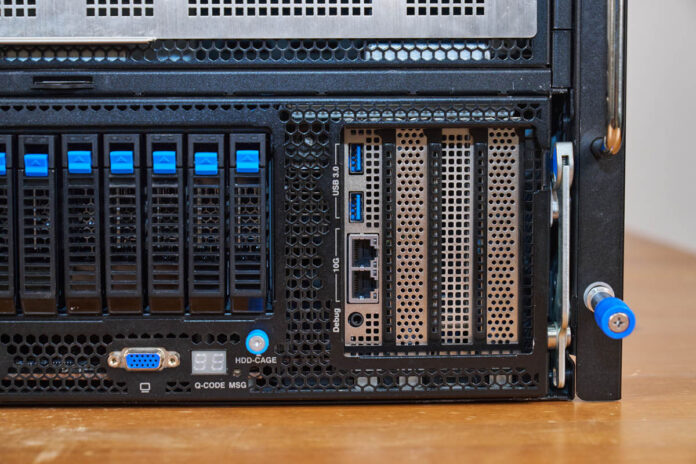
If you see those big levers on either side, that is actually a neat feature. The entire front section can be removed from the chassis to service.
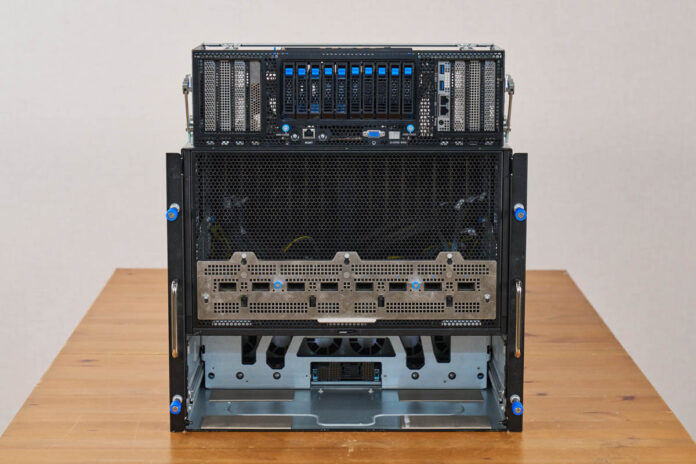
Here is what that cavern in the chassis looks like. You can see the connection to the CPU motherboard tray and also see the fans to keep the CPUs, memory, NICs, and storage cool.
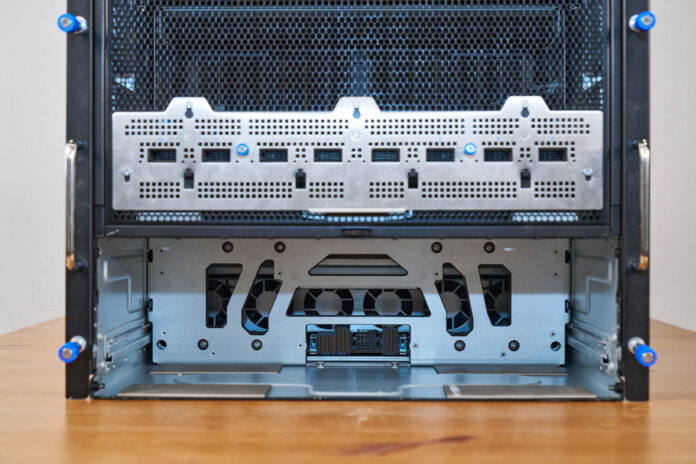
Since this is a fairly large assembly, there are rails inside the chassis for the assembly to slide on.
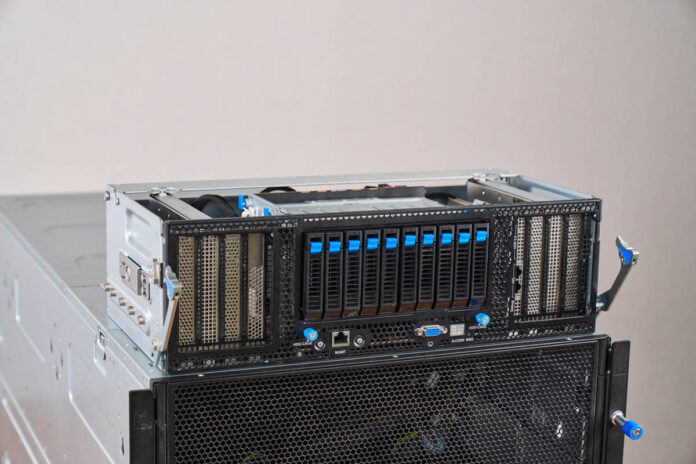
Taking a look at the top of this, you can see the big SSD cage flanked by the PCIe slots.
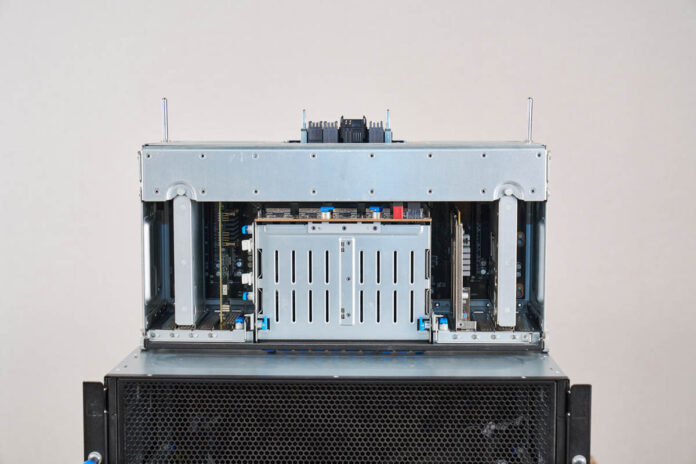
Here is the left side.
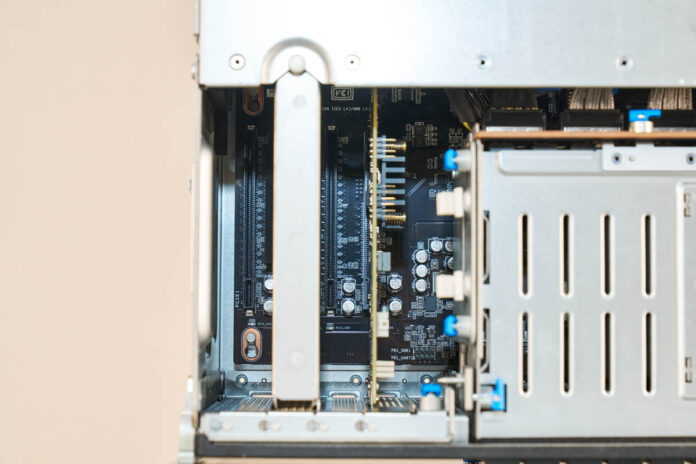
Here is the right side. Pulling these out makes it easier to replace PCIe cards in the system and that is part of the ASUS modular approach.
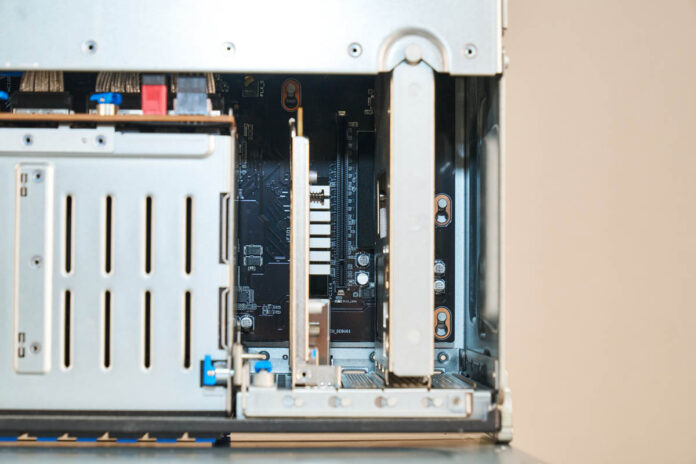
Here is the rear of the front assembly.
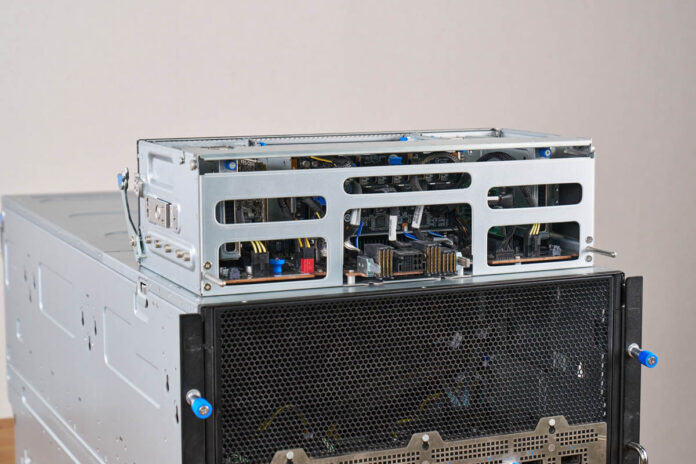
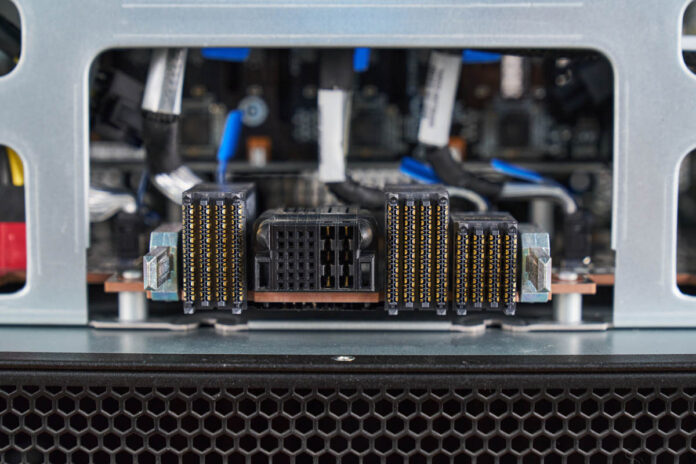
Since it is designed to slide in and out, there are high-density connectors so that this board can connect to the CPU tray.
With that, let us get to the CPU tray.
ASUS XA NB3I-E12 Hardware Overview – CPU Tray
Turning the server around, you can again see the huge GPU heatsinks once we remove the fans. On the bottom, there is another easily removable tray.
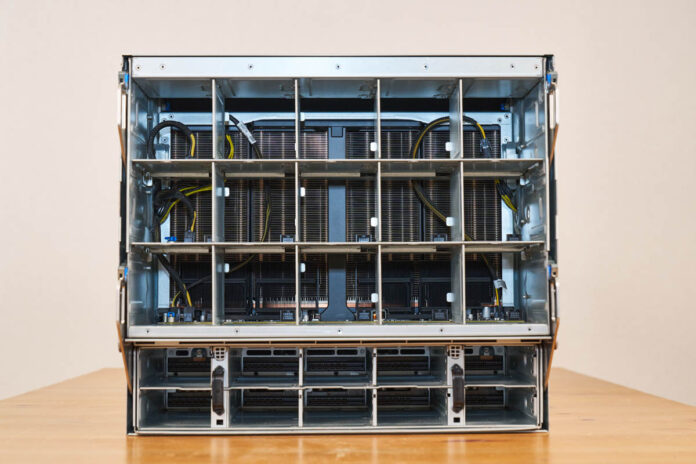
Pulling on those levers, the entire CPU tray pops out.
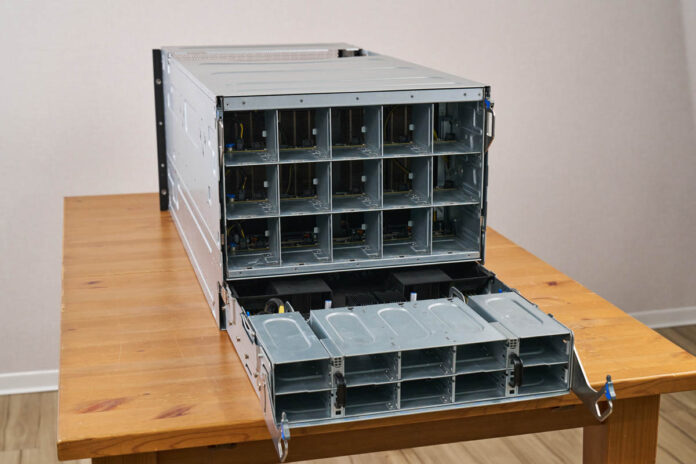
Here is the CPU tray with the airflow guides over the CPUs and memory.
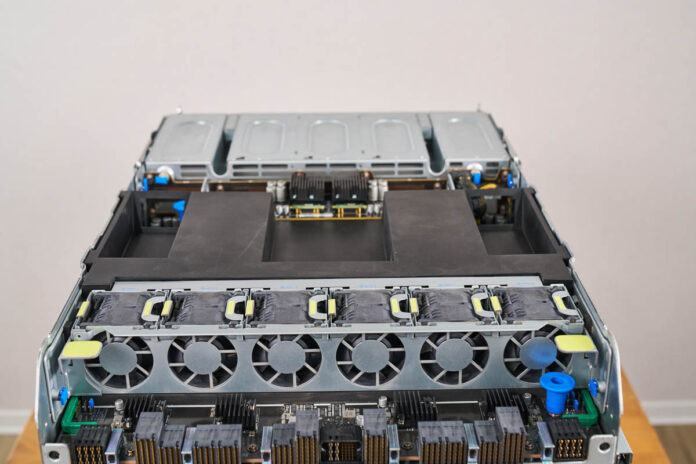
This section includes the CPUs, power supplies, and an internal fan partition.
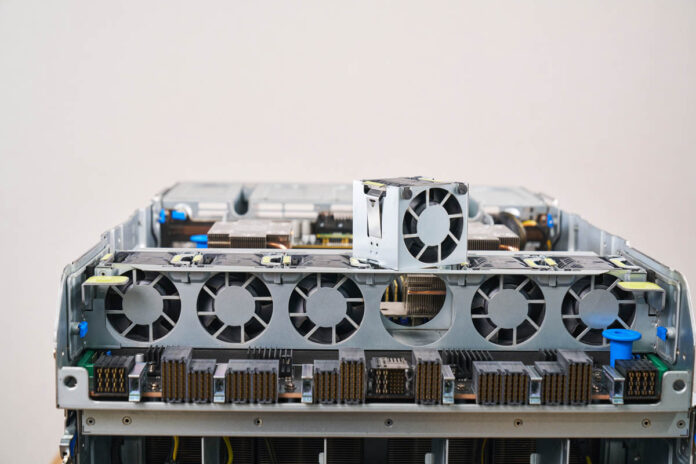
Both the fan partition and the fans pop out for easy servicing.
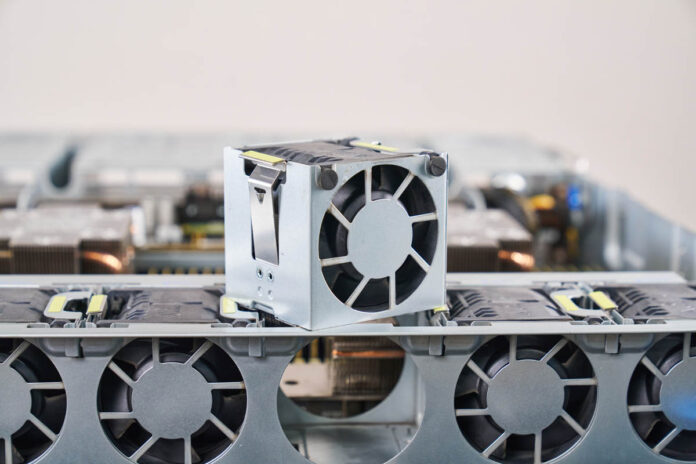
Here is a quick shot of all of the connectors at the back of the board with the fan partition removed.
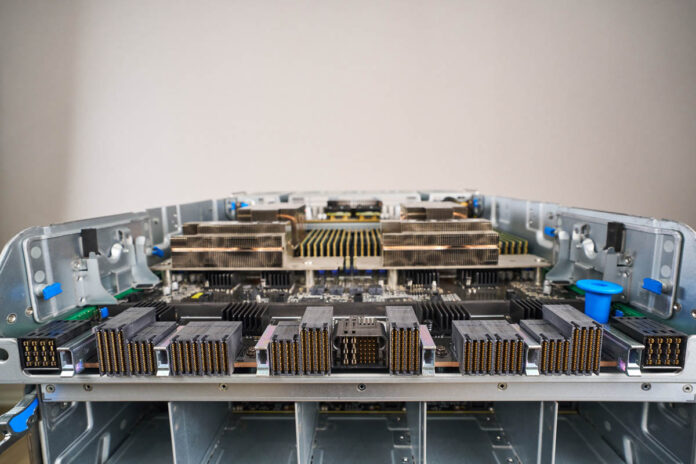
Here is another view of the CPU tray.
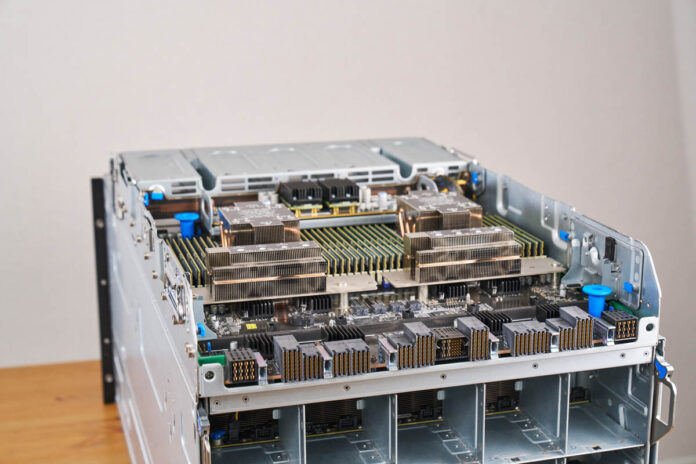
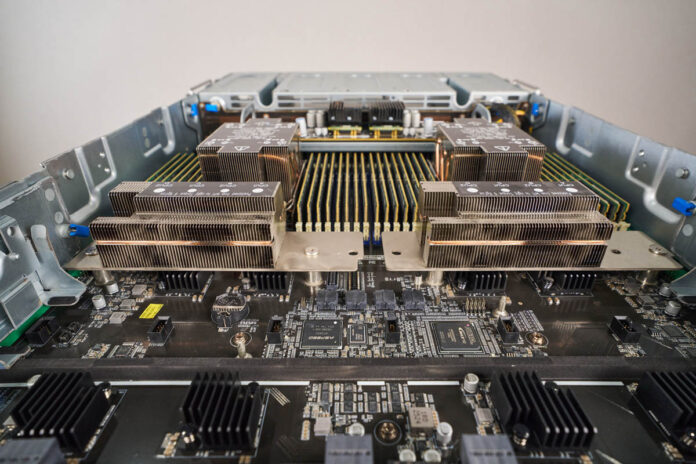
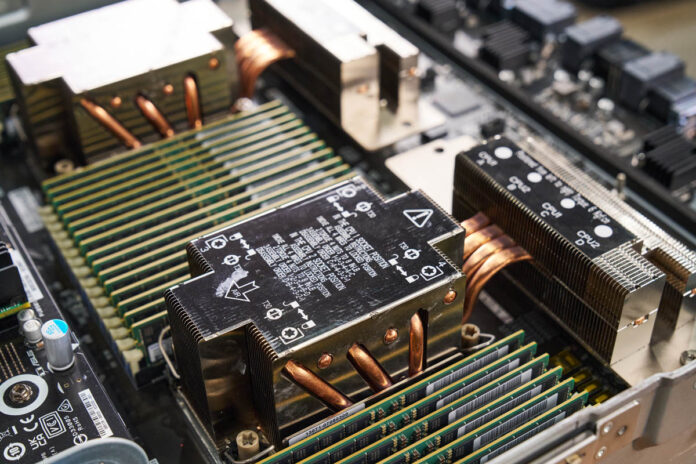
In the center, there are two Intel Xeon 6700 series processors, and a lot of DDR5.
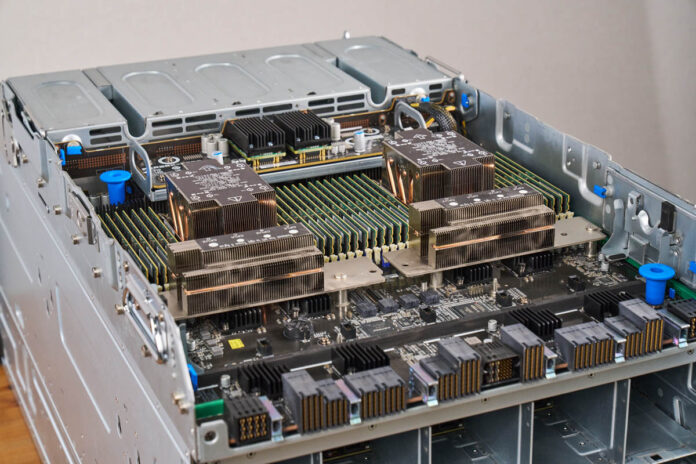
You can use various Xeon 6 processors in here, but most will pick higher-end Intel Xeon 6700P processors with up to 350W TDP.
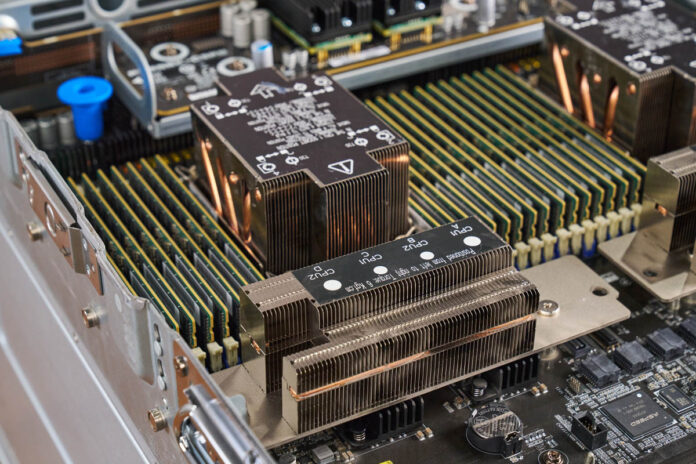
Something neat is that the heatsinks have heat pipes that extend the heatsink beyond just the processor socket’s footprint.
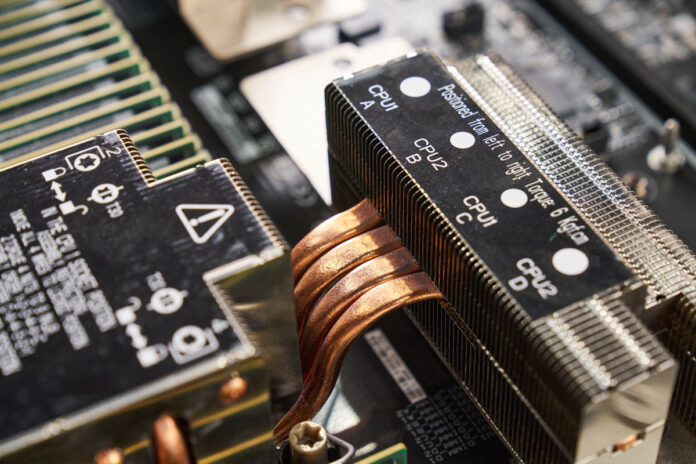
That helps keep the processors cool and running at boost speeds even in this dense 2U bottom section.
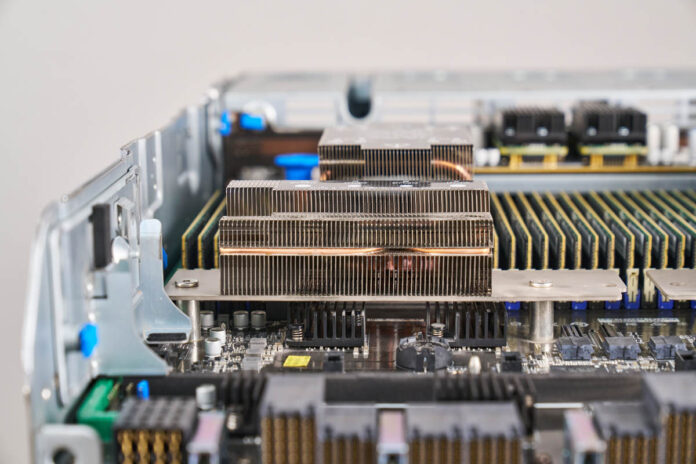
Since these are Intel Xeon 6700 series processors, we get eight-channel memory in each socket.
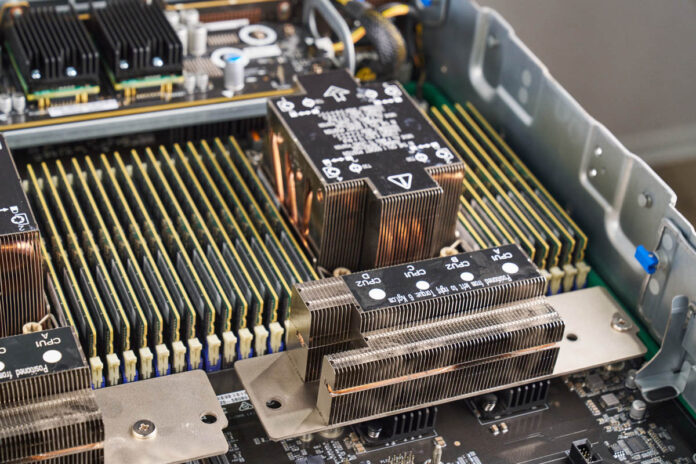
One advantage of using the Xeon 6700 series instead of the Xeon 6900 series is that the smaller socket can fit 16 DDR5 RDIMMs per socket and 32 DDR5 RDIMMs in the server. Oftentimes, you want significantly more system memory than GPU memory, and with eight 288GB HBM3e GPUs, you need well over 2TB of system memory. Simply having more DIMM slots helps with this.
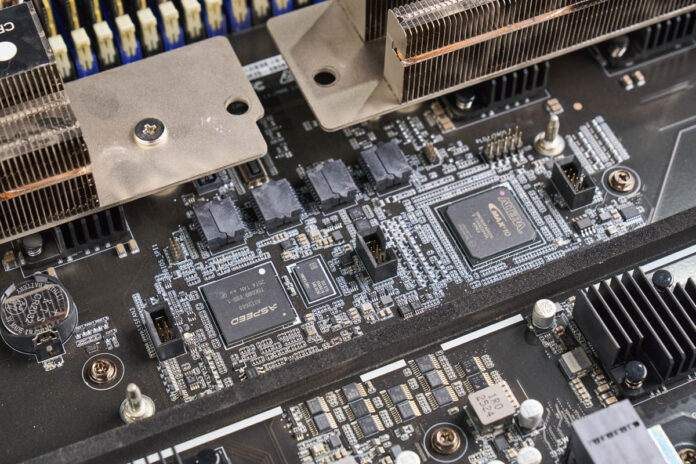
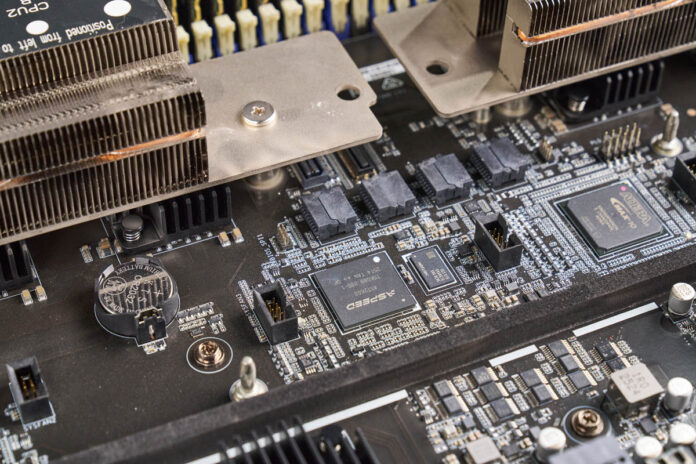
Also of note, there is an ASPEED AST2600 BM and an Altera MAX10 FPGA in the system.
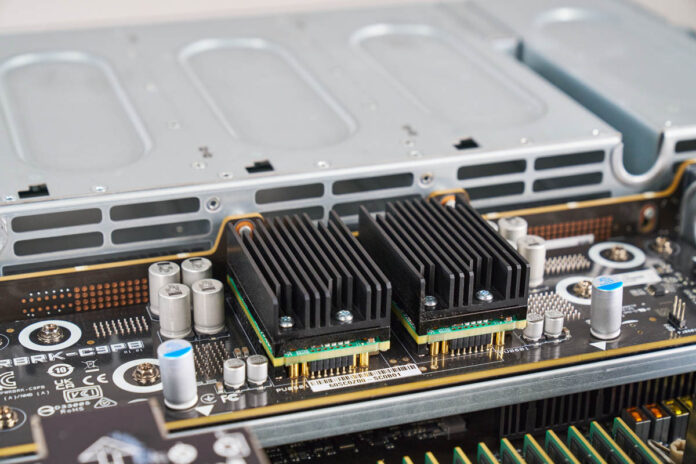
If you saw when we pulled the system out, this bottom tray also houses the power supplies. There is a small power distribution board for the CPUs on this tray as well.
Next, let us get to the rear of the server where this all plugs into.
ASUS XA NB3I-E12 Hardware Overview – Rear
Here is a quick look at the rear of the server without the fans and the CPU tray.
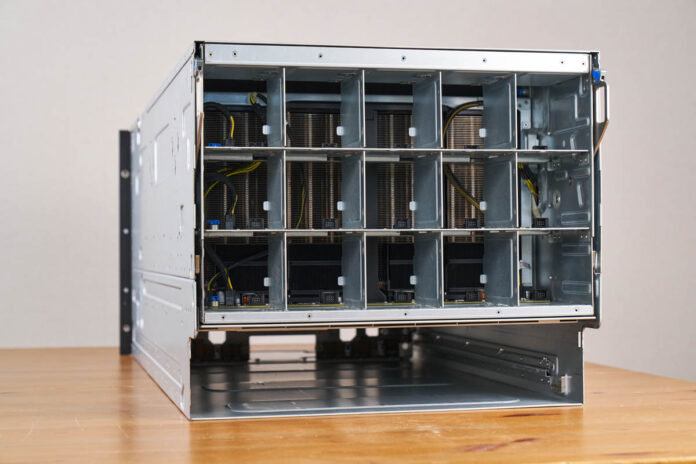
Again, with the fans removed, you can see the giant GPU heatsinks.
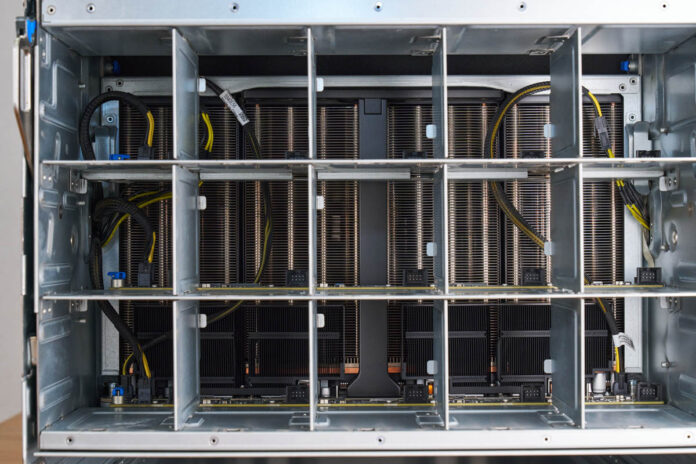
Here is what the giant GPU tray looks like going from the front OSFP cages to the NVIDIA Blackwell Ultra GPUs.
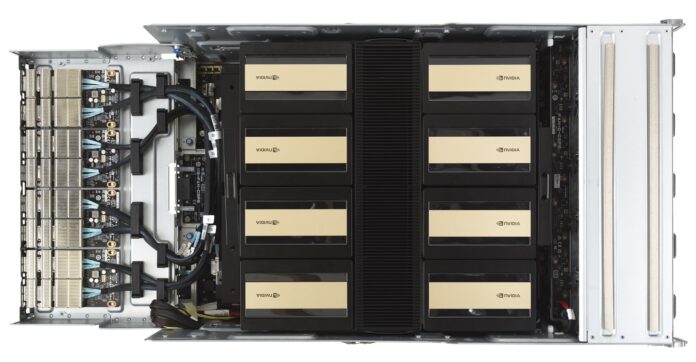
Here is a quick look through the bottom of the system.
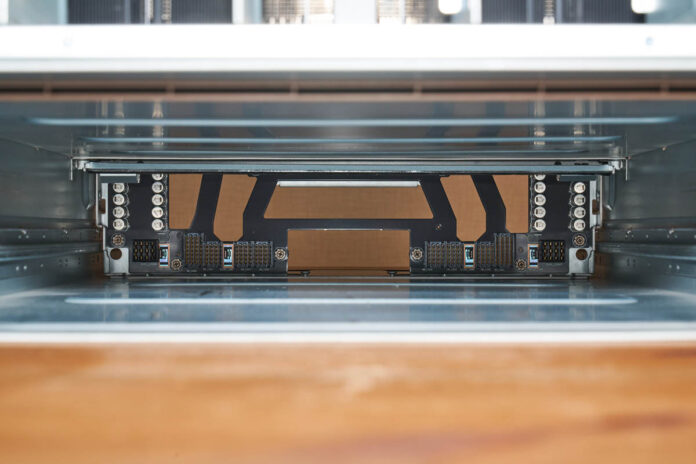
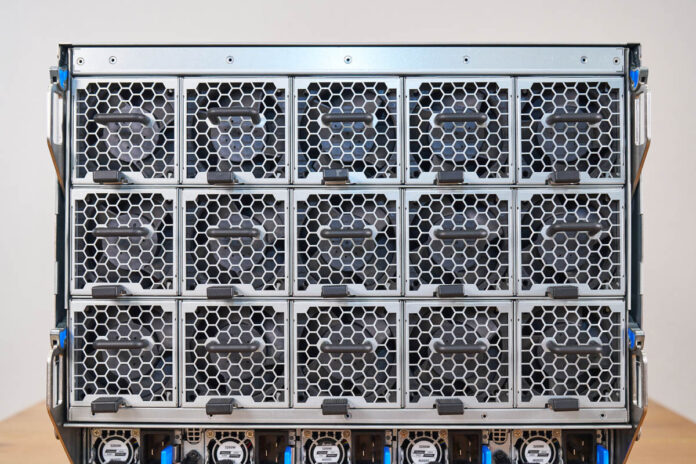
We removed all of the fans and power supplies from the rear. That is fifteen fan modules and ten PSUs.
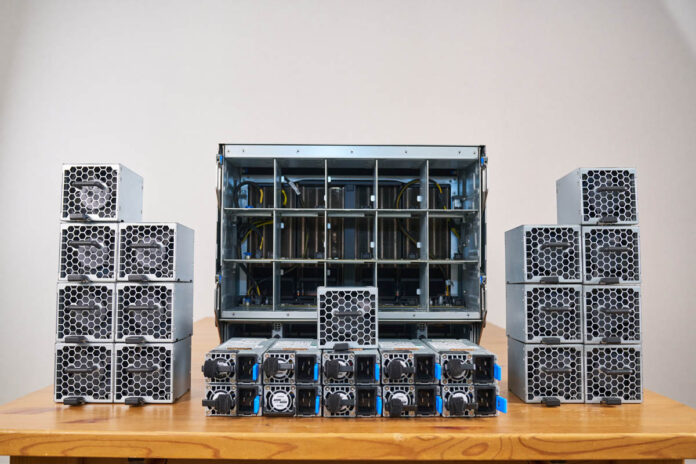
The fifteen fan modules have their own metal casings.
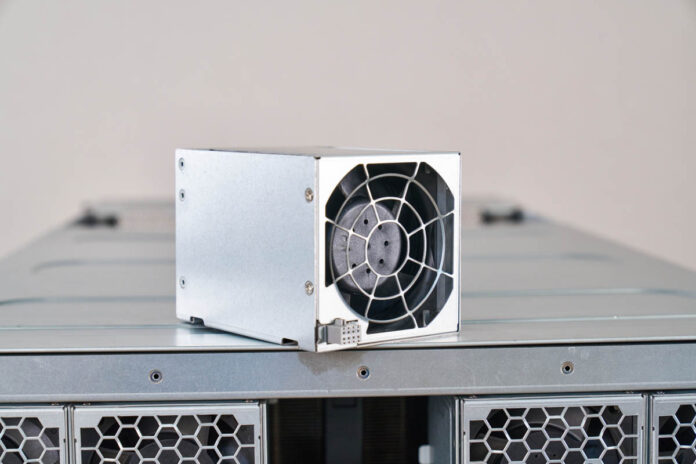
They are installed into the back of the big GPU tray.
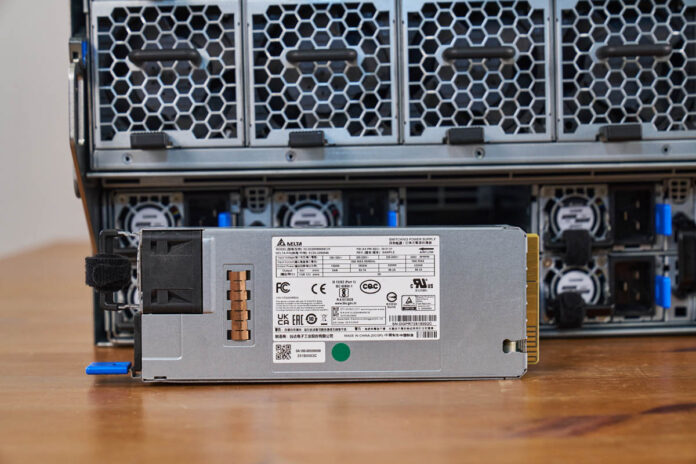
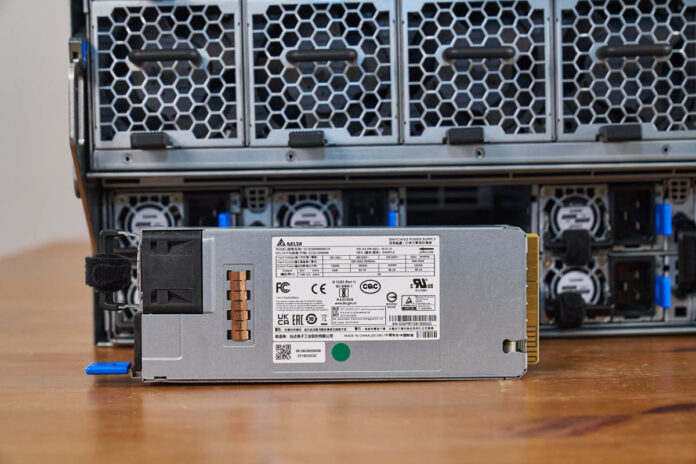
On the bottom, installed into the CPU tray, are the ten 3.2kW Delta power supplies.
Here is a family photo with the huge set of power supplies.
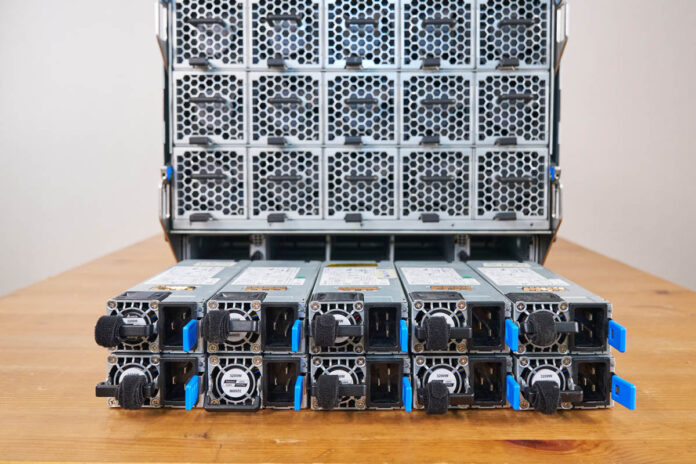
Here they are installed.
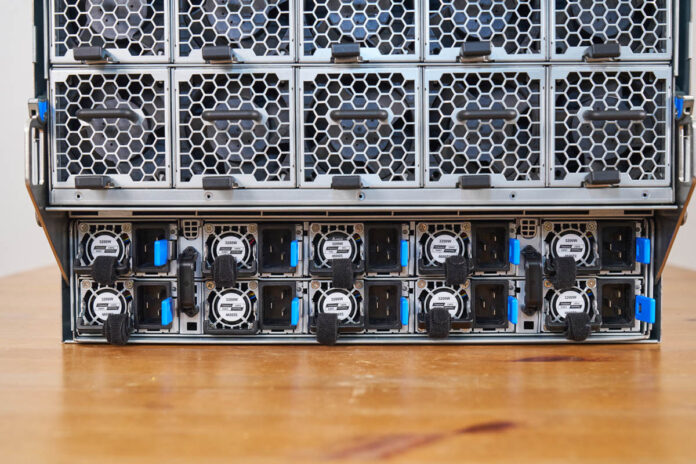
With everything installed in the rear, here is what the system looks like.
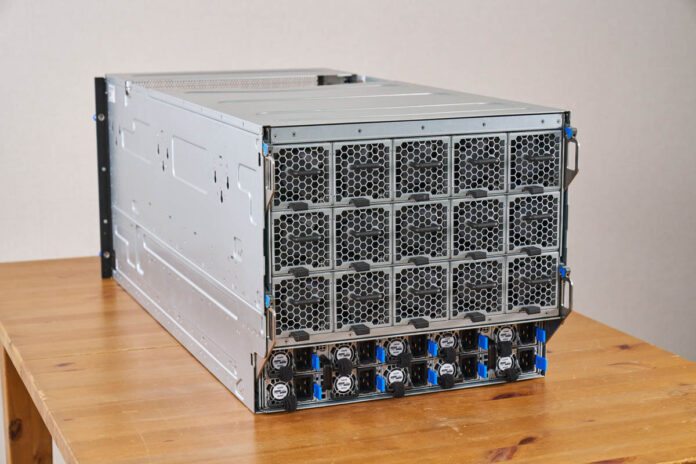
Next, let us get to the block diagram.
ASUS XA NB3I-E12 Block Diagram
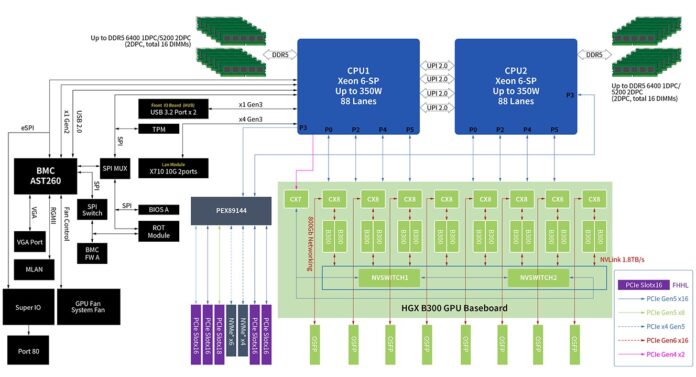
Since this is a larger system, the block diagram is quite interesting. Here you can see the NVIDIA HGX B300 GPU baseboard along with the PEX89144. Having a large 144 lane PCIe switch helps a lot with connectivity, but it also means that those PCIe slots and NVMe drive bays are handled through the switch.
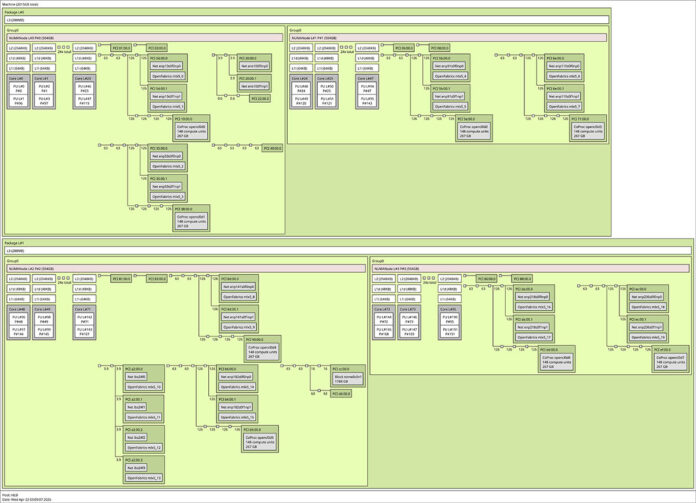
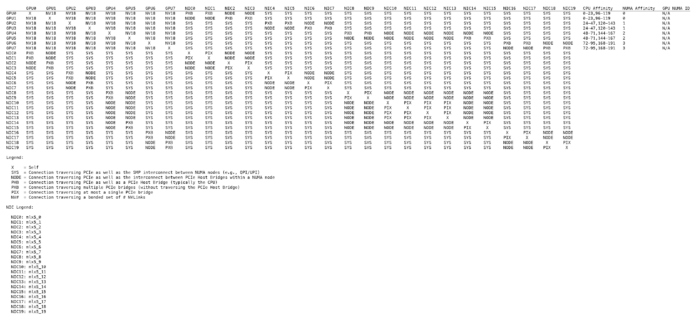
Here is the topology of the running system in case you want to see that.
The server topology is one thing, but if you want to see the NVIDIA topology between GPUs, here is what that looks like:
Next, let us discuss the management.
ASUS XA NB3I-E12 Management
In this system, ASUS is using the ASPEED AST2600 BMC.
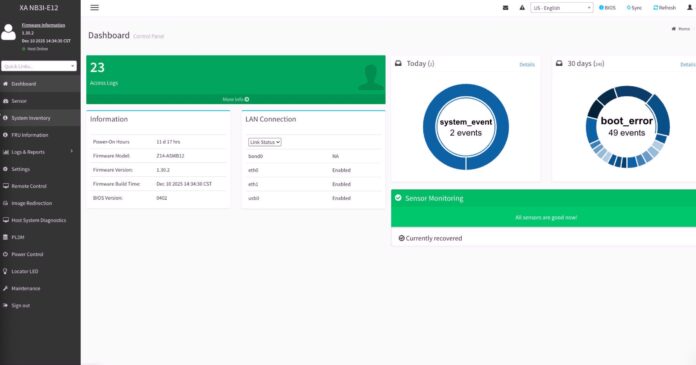
The management firmware is based on the MegaRAC SP-X firmware, and so we can see an industry-standard dashboard.
One important feature for many server buyers is an HTML5 iKVM with remote media. These GPU servers are not ones that you want to spend a long time standing next to, so having remote management instead of having to roll a KVM cart is greatly preferred.
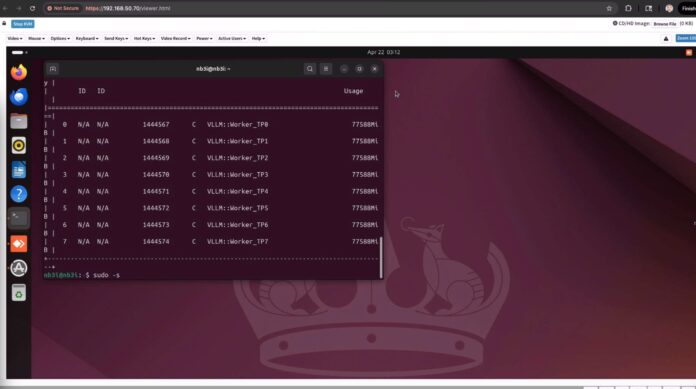
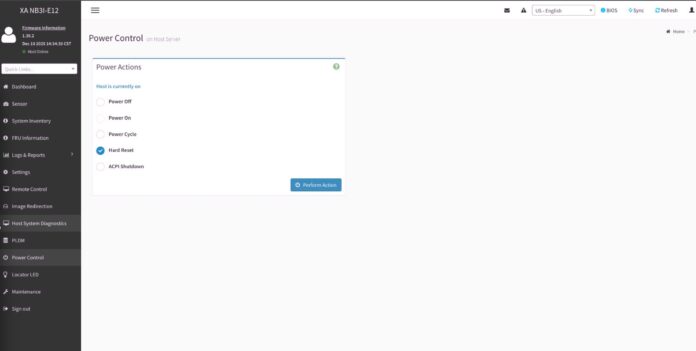
As one might imagine, there are items like Power Control, the ability to set users and permissions, and all of the other standard IPMI capabilities.
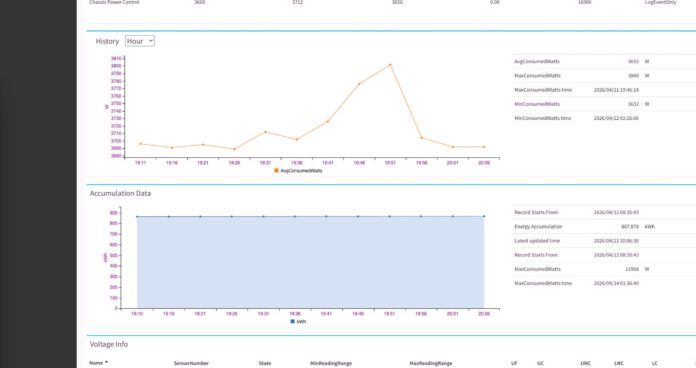
Something that is important with these servers is the ability to monitor power consumption both at a total system level and on a per-PSU basis.
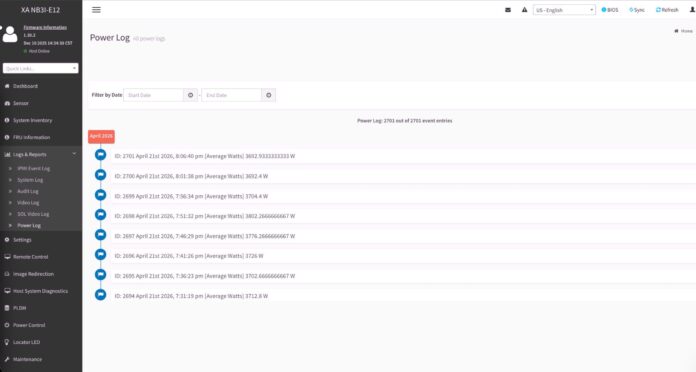
ASUS also has various logs. We figured we would stay consistent and just show you the power log feature for the system.
Overall, this is all very standard fare for a modern server. Still, it is great that ASUS is using an industry-standard management interface since that is what AI data centers expect.
Next, let us get to the performance.
ASUS XA NB3I-E12 Performance
First off, we wanted to look at the Intel Xeon 6740P performance.
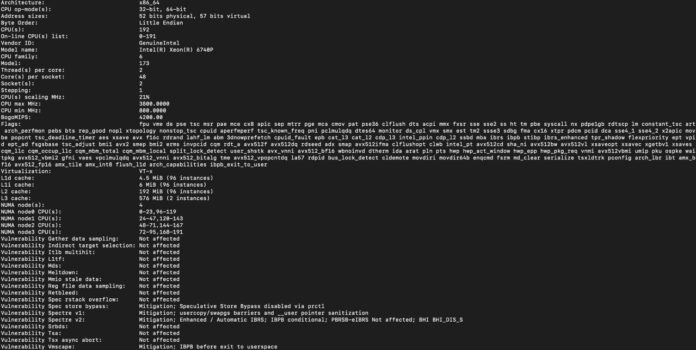
These are interesting since they are 48-core CPUs. Oftentimes, we see 8x GPU systems with 64 or more cores, but some configure lower-core-count CPUs to achieve higher performance per core.
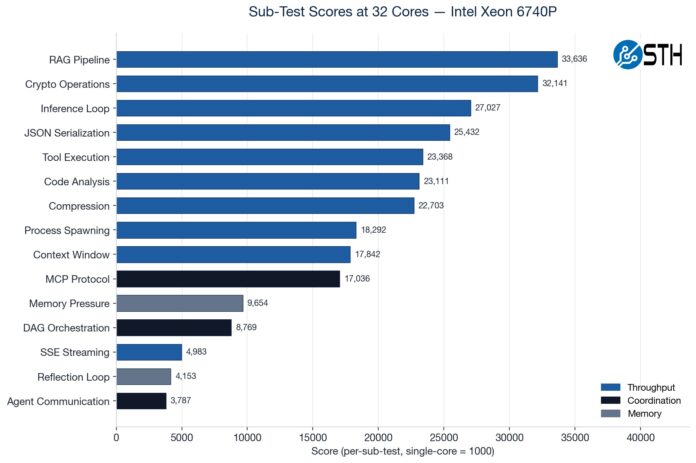
We used our AgentSTH V5 benchmark suite on this system. We tested it just before the Ubuntu 26.04 release, so we were not using the V7 suite yet. AgentSTH is a collaboration between STH and some folks at large hyperscalers to examine CPU performance for agentic AI workflows. We profiled what CPUs are actually doing during agentic workflows, and that helped build and weight the benchmark suite. Of course, for a system like this, you generally want the AI agents running on different systems, but we thought it would be more interesting here. If you want a good idea of traditional CPU performance, SPEC CPU 2026 is out.
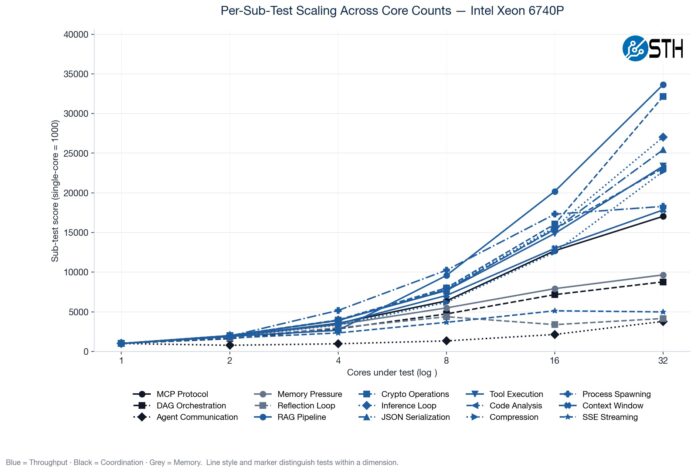
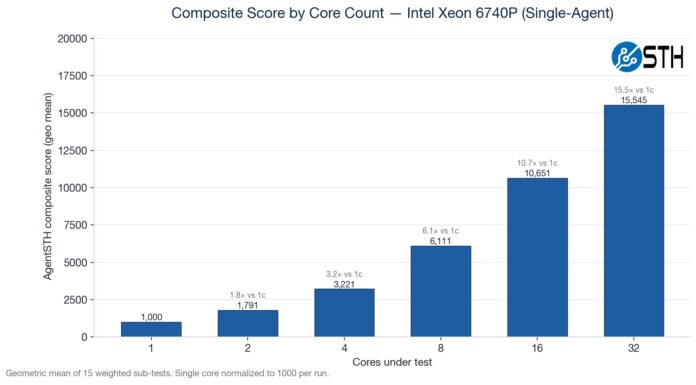
Something we have been doing is testing the CPUs not just at their maximum core counts, but also using standardized CPU sizes ranging from a single core to 32 cores. Not all portions of the profiled agentic AI workflows scale linearly as more cores are added, so we often see drop-offs in terms of performance as the core counts increase.
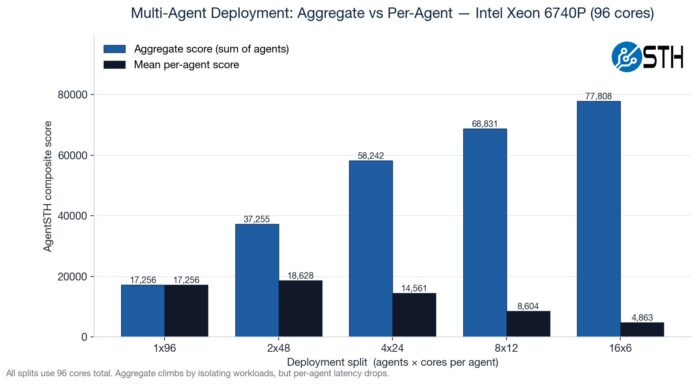
Here is a fun one to look at. We ran a matrix ranging from a single instance across the entire system to sixteen smaller agent containers. You will notice that the 2x 48-core actually performs better than the 1x 96-core setup because of the socket-to-socket link.
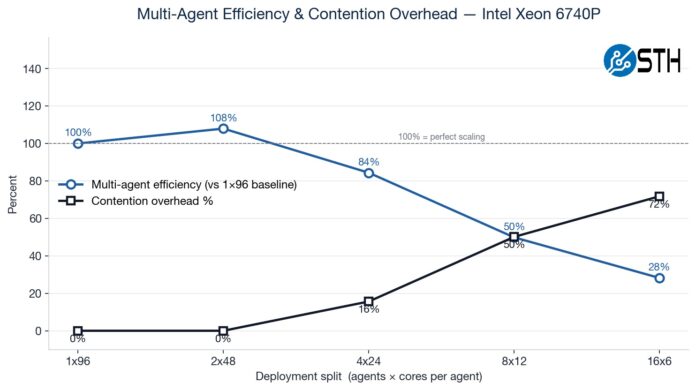
Here you can see that, because not all workloads scale with increased cores, we get more aggregate CPU performance by using more containers with fewer cores per container. This makes logical sense, but it was still neat to see.
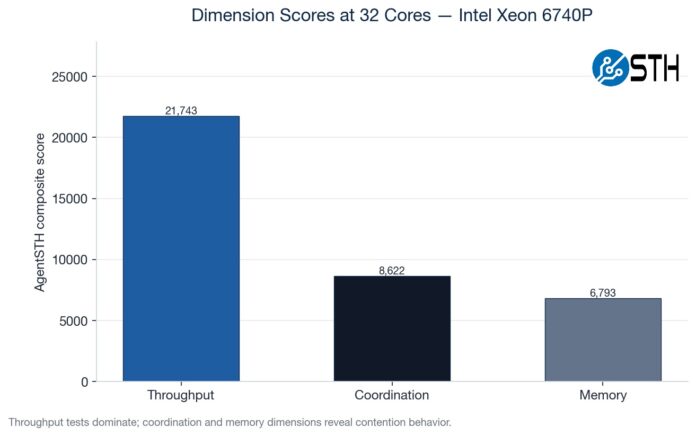
We have various subtest categories, such as throughput tests, coordination-style tasks, and those that are extremely memory-bandwidth bound. If you saw our Striking Back at AI Memory Pricing Using AI piece, this will look very familiar.
Here is just a composite score scaling by the core counts.
Just comparing the performance of this server to our reference Intel Xeon 6700 series platform across more traditional workloads, here is what we saw:
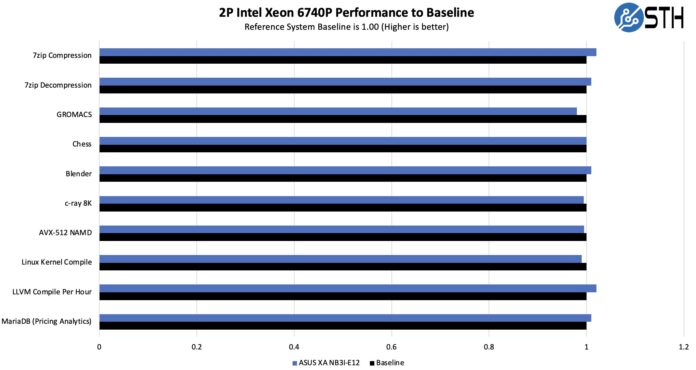
Overall, this shows that we are getting enough cooling to keep these processors running at their top speeds, even though we are in a GPU server. Of course, the main attraction here is that we have a GPU compute server, so the NVIDIA Blackwell Ultra GPUs are the main attraction. We wanted to look at a big model, so we used Kimi K2.5.
While those are close, really, the big number to us was the Kimi K2.5 number. We ran it on the 8x GB10 cluster, but at just over 1 token/ second/ user. That was basically the buy-in to get this running.
With the massive NVIDIA Blackwell Ultra HBM3e memory pools, we were able to run it on only four GPUs, or better said, we could have vLLM running on two sets of B300 GPUs in the same system.
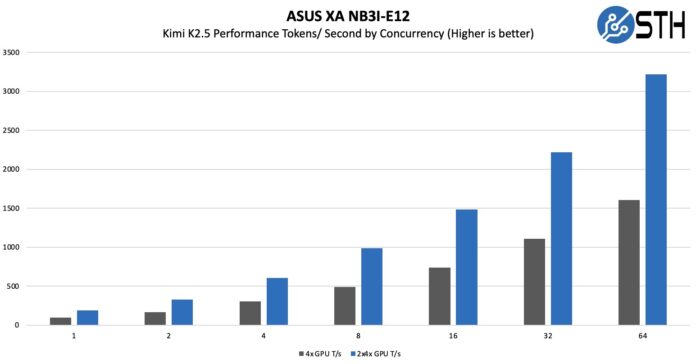
That might not seem like a lot, but it also really clearly shows why having faster memory is so important. As an important piece of context here, really, the 2x 4x GPU numbers were running two instances of K2.5, so each instance was getting single-user concurrency. Realistically, you can either double-up instances like we did, or run K2.5 and then run other models alongside it.
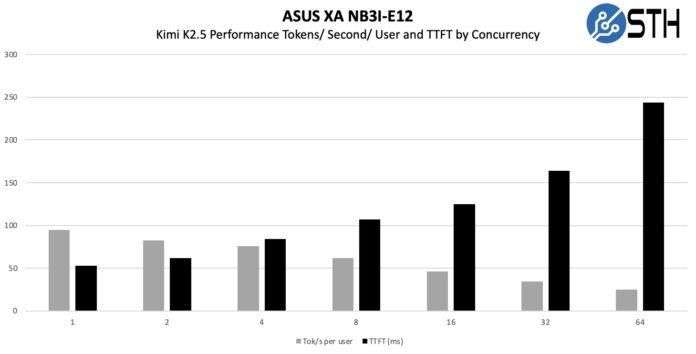
As a quick aside here, SGLang is faster at serving Kimi K2.5.
Next, let us discuss power consumption.
ASUS XA NB3I-E12 Power Consumption
We did not have this in our test lab, but it seemed useful to discuss power consumption, given that there are 10x 3.2kW power supplies. First off, those ten power supplies are for 5+5 redundancy, not because this is a 32kW server.
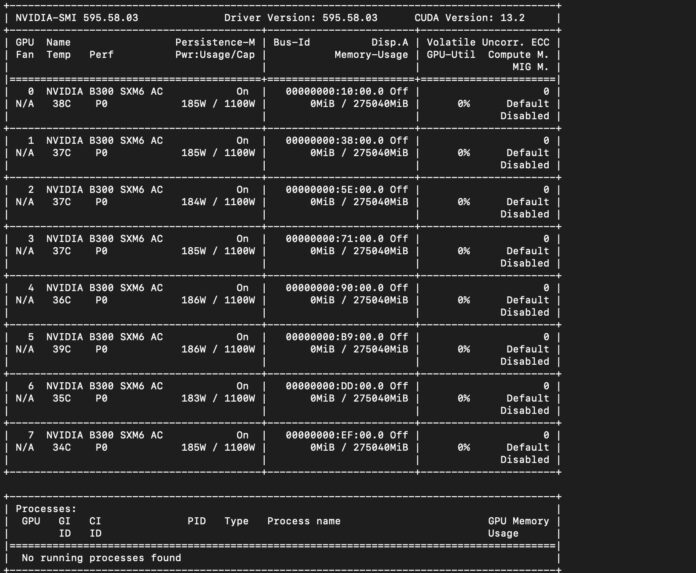
Something that is worth noting, however, is that the idle power consumption is significant. Each GPU idles at around 180W, plus there are the CPUs, DDR5, NICs, switches, and more in the systems that must be cooled via fans. Here is a look at the idle power consumption:
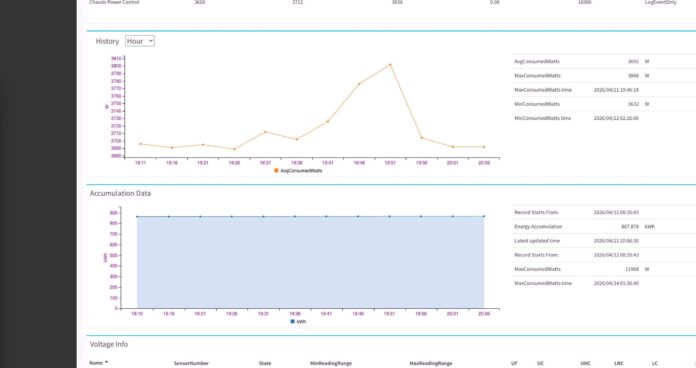
These servers now use well over 3kW at idle. We got over 10kW, but pushing components differently, and adding different configurations can get this to over 12kW, which is quite a bit at around 1.3kW/U. Putting four of these in 36U will require 48-50kW, and five in 45U will put you right on the edge at 60kW/ rack if the systems are all running at top speed all the time. Do not overlook the power of these systems.
STH Server Spider: ASUS XA NB3I-E12
In the second half of 2018, we introduced the STH Server Spider as a quick reference to where a server system’s aptitude lies. For this system, networking and form factor are major parts of the story.
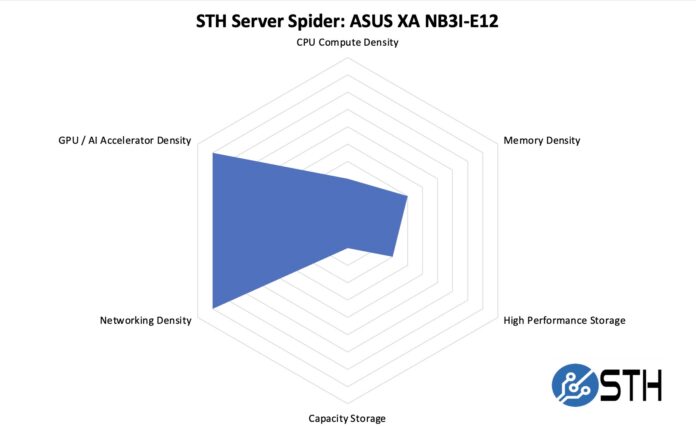
Overall, this server is not designed for storage, nor for the maximum CPU compute density. Instead, it is designed to house a lot of GPU compute and networking. Many will ask why we did not max out the GPU compute and networking density. This is still an air-cooled server, so if you really wanted to maximize the GPU density, you would want a liquid-cooled solution. Here, the server is just below 1 GPU/U of rack space, but we have seen 4 GPUs/U in liquid-cooled racks. Still, for an air-cooled server, this is very dense.
Final Words
We have been reviewing 8x SXM GPU servers for around a decade. It is amazing to see just how far they have come. We now have well over 2TB of HBM3e memory, new number formats and tensor processing, and even 8x 800Gbps for 6.4Tbps of GPU networking in a single machine. Having seen the NVIDIA HGX 8-GPU over the years, this still makes a lot of sense in data centers where NVL72 racks simply cannot be used due to their liquid-cooling and power-density requirements. That is perhaps what ASUS did with the XA NB3I-E12, taking high-end GPUs and allowing them to be air-cooled to fit into more existing data center footprints. ASUS uses its modular server design, which makes servicing easier. While this may just seem like a “neat” feature at first, it is also very practical. Being able to monitor the system and quickly take it apart for service helps keep these high-dollar AI systems working. As systems have become more complex, there are many more service items, which is why this design direction is so important.
Let us face it, the NVIDIA Blackwell Ultra GPUs with the NVIDIA ConnectX-8 networking make for a really cool combination. We learned a lot just by taking this system apart and seeing how it worked. Hopefully, you learned something from this teardown as well.
Ta Kontakt med Nextron
Vi tilbyr ekspertveiledning for å evaluere, designe og implementere løsninger som er tilpasset dine forretningsmål.